Guide
How do you move a series from mangatranslate.com to Bublate?
Save your source pages, the text of your Prompt and any font files you own. Then make a series in Bublate and paste the Prompt notes and your name list into its series bible Import. Add your fonts and upload the chapter. MangaTranslate costs less per page. Bublate adds a series bible, translation memory, redrawn sound effects and platform exports.
Table of contents
MangaTranslate (mangatranslate.com, from Ficory LLC) is a web tool. You upload pages, it translates and re-letters them, and an online editor called Studio lets you fix the result. This guide is for a creator or a team that used it on their own series, or on one they have the rights to. Every MangaTranslate fact below comes from its own site, read on 21 November 2026. For a full look at the product, read the MangaTranslate review.
Why do people move from MangaTranslate?
MangaTranslate is cheap per page and has a real editor, so many users stay. The reasons to move that its own pages show are about a series, not a page:
- Settings live in each task. You pick a model, a translator, a font style and a Prompt for every upload. We found no series glossary or name list that carries from one chapter to the next.
- Edits stay in the editor. Its FAQ says you export your changes from the editor, and that they do not replace the task's translated images by themselves. So a fixed page lives in two places.
- No refunds for a change of mind. The FAQ says "Refunds for personal reasons are not supported." The refund policy offers prorated handling only after verified downtime of more than 48 hours.
- Subscription credits expire. Its terms say "Any unused subscription credits will expire at the end of the current billing period." Credit packs "stay valid long term."
- Sound effects. Its home page lists "SFX" among what its models handle. It does not say whether it erases and redraws sound effects drawn in the art. Test one such page on the free daily credits.
What carries over, and what does not?
| Item | From MangaTranslate | In Bublate |
|---|---|---|
| Source pages | Yours. MangaTranslate takes JPG, PNG, WebP, AVIF, PDF, ZIP and TAR, up to 15 MB a page | PNG, JPG, WebP, a folder, ZIP, CBZ or PDF, up to 30 MB a page. Save AVIF pages as PNG or JPG, and repack a TAR as a ZIP |
| Prompt text | Background and translation preferences you typed per task | Paste it into the series bible Import once, or into the chapter note for one chapter |
| Font files | Fonts you imported into Studio | Upload the same files under Your fonts: TTF, OTF, WOFF or WOFF2, if your licence allows it |
| Edited pages | Exported from Studio as ZIP or PDF | Keep them as your record. Do not upload them: Bublate starts from the source pages |
| Credits | Packs stay valid. Subscription credits expire each period | No transfer. A new account gets 30 free credits |
| API tasks | Tasks sent through its API | Bublate has its own publisher API and an MCP server. See developers |
Bublate refuses a font file whose own flags forbid embedding, and it does not take TTC collections. A licence that allows desktop use only may still forbid upload to a web app. Read the font licence first. For free and open comic fonts, see free webtoon lettering fonts.
MangaTranslate's terms and Bublate's terms both ask you to upload only content you have the rights to. A series you do not own needs the rights holder's written permission first. See upload rights.
How do you move a series, step by step?
- Collect the source pages of each chapter. Convert AVIF pages to PNG or JPG, and TAR files to ZIP.
- Copy your Prompt text from your tasks into one file. Add every character name, form of address and term you want fixed.
- Sign up. A new account gets 30 free credits, with no card.
- Make the series. In the library, click New series and set the title, source language and format.
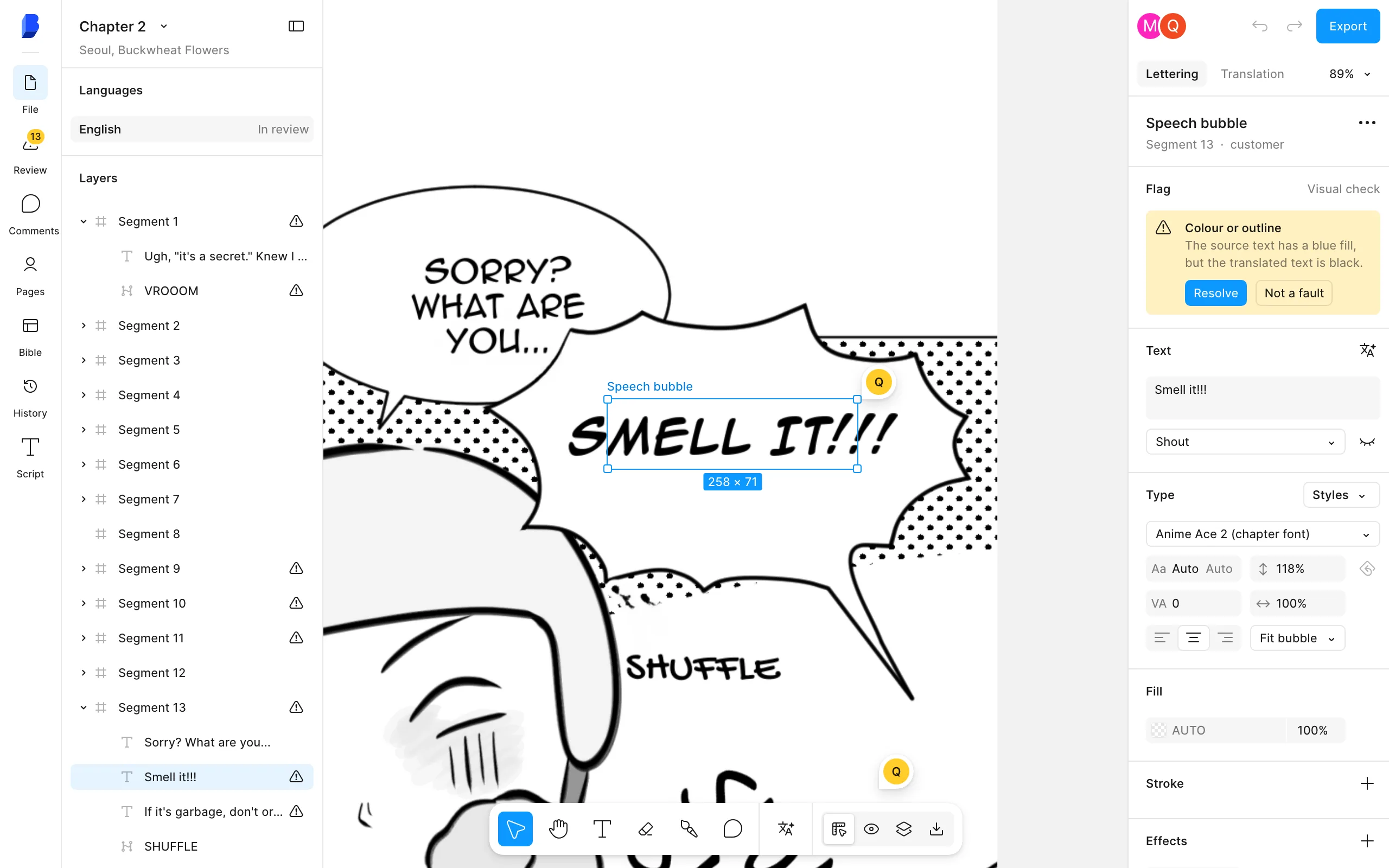
- Import the file. In the Series bible window, click Import, paste the file, check the fields and click Save. Mark key terms Always. See series bible help.
- Upload your fonts under Your fonts in the editor font menu, if you used your own.
- Upload chapter 1, pick the target language and read the price before you start.
- Check the chapter in the editor and mark it done. Lines your team corrects go into the translation memory.
- Export with a platform preset or as a layered PSD. Then add the rest with Upload many chapters.
What does each one cost?
MangaTranslate costs much less per page. Its pricing page lists credit packs and plans, and its tool charges 1 or 2 credits a page by model.
| Option | Price | Per page or chapter |
|---|---|---|
| MangaTranslate free use | $0 | 5 free credits a day per public IP address, or 5 a day by check-in when signed in |
| MangaTranslate packs | $4.99 (1,100 credits), $19.90 (4,600), $99.90 (28,700) | 1 credit a page on the Manga and EagleEye models, 2 on Ultra |
| MangaTranslate plans | $12.90 a month (3,200 credits) or $129.90 a year (41,700) | Unused subscription credits expire each period |
| Bublate, new account | $0 | 30 free credits, once |
| Bublate, by the chapter | $3 a webtoon chapter of up to 20 segments | Up to $0.60 a manga page, less when the page has few text blocks |
| Bublate, monthly plans | Creator $19 (100 credits), Studio $69 (500), Publisher $229 (2,000) | Plan credits reset each month |
| Bublate, credit pack | $149 for 1,000 credits | Bought credits for chapters at any time |
For a quick page to read, MangaTranslate is the better buy. Pay for Bublate when the series must stay the same across chapters and ship to a platform. You get one series bible, a translation memory of your corrections, cleaned art, sound effects redrawn or captioned, and exports cut for WEBTOON CANVAS, Tapas or LINE Manga Indies. Full rules on pricing.
How do you stop paying for MangaTranslate?
Its FAQ says to find the subscription in your Dashboard, click Manage Subscription and cancel auto-renewal on the payment page that opens. If there is no option, contact its support. Use your subscription credits before the period ends, because they expire. Pack credits stay valid, so you can keep them for quick reads.
What does Bublate not do?
- No browser extension and no phone app.
- No price below MangaTranslate per page. Bublate charges for the lettering, sound effects and series work.
- No translation of pages you do not have the rights to.
- No final check. A person who reads both languages still checks each chapter.
For other tools, see MangaTranslate alternatives, or the guides for moving from Ichigo Reader and moving from Immersive Translate.
Frequently asked questions
Can I move my MangaTranslate edits to Bublate?
Not as edits. Studio exports finished images as ZIP or PDF, with the text drawn in. Keep those as your record. Upload the source pages to Bublate instead. Copy the names and wording you chose into the series bible, so the new chapters use them.
Can I use my own fonts in Bublate like in MangaTranslate Studio?
Yes. Upload TTF, OTF, WOFF or WOFF2 files, up to 30 MB each, under Your fonts in the editor font menu. Bublate refuses files whose flags forbid embedding, and TTC collections. Check that your font licence allows use in a web app and in exported images.
Is Bublate cheaper than MangaTranslate?
No. MangaTranslate charges 1 or 2 credits a page, with packs from $4.99 for 1,100 credits. Bublate is $3 a webtoon chapter of up to 20 segments and up to $0.60 a manga page, after 30 free credits. Bublate costs more because it keeps a series bible and redraws sound effects.
Will my MangaTranslate credits carry over?
No. Credits stay in your MangaTranslate account. Its pack credits stay valid long term, and its subscription credits expire at the end of each billing period. A new Bublate account starts with 30 free credits, once per inbox, with no card.
Does Bublate take AVIF or TAR files?
Not yet. Bublate reads PNG, JPG and WebP pages, a folder of pages, ZIP, CBZ and PDF. Save AVIF pages as PNG or JPG, and repack a TAR archive as a ZIP before you upload.
Sources
- MangaTranslate, home page (tool options, export, custom fonts) · checked
- MangaTranslate, pricing page · checked
- MangaTranslate, FAQ (updated 20 October 2026) · checked
- MangaTranslate, Manhwa Translator page (Studio editor, file types) · checked
- MangaTranslate, Terms of Service · checked
- MangaTranslate, Refund and Cancellation Policy · checked
- MangaTranslate, Privacy Policy · checked