Guide
How do you clean a manga page?

To clean a manga page, remove the original text so the translation can go in. Text in a plain white bubble takes a flat fill. Text on screentone takes a clone of the dot pattern. Text and sound effects over the art need a redraw: you rebuild the lines and tones the letters covered, so the reader cannot see the patch.
Table of contents
- What does a manga cleaner do?
- What is the difference between flat fill and redraw?
- How do you clean text inside speech bubbles?
- How do you clean text over screentone?
- How do you redraw art under text and sound effects?
- Should you remove sound effects or keep them?
- Which tools do manga cleaners use?
- How do you clean a manga page, step by step?
- What are common cleaning mistakes?
This guide explains flat fill and redraw, text over screentone, sound effect removal, the tools cleaners use and a step list. Cleaning comes before typesetting in every translation workflow.
What does a manga cleaner do?
A cleaner removes the source text and fixes defects in the scan. Wikipedia's article on scanlation describes cleaning as removing the original text, correcting scan blemishes and adjusting brightness and contrast so the pages look like official volumes. It also notes that removing text from over the art leaves blank spots, which are left as they are or redrawn, usually by the cleaner as well.
With digital raws, the scan work goes away, but the text work stays. Every bubble still needs to be emptied, and every sound effect drawn into the art still needs a decision.
What is the difference between flat fill and redraw?
| Method | Where it works | How | Time |
|---|---|---|---|
| Flat fill | Text inside a plain white or flat-colour bubble | Select the bubble interior and fill it with the bubble colour | Seconds per bubble |
| Clone fill | Text on uniform screentone or a flat tone | Clone the same pattern from next to the text, with the dots aligned | Minutes |
| Redraw | Text or sound effects over lines, gradients, faces, backgrounds | Trace the missing lines, clone the fills, rebuild gradients | Minutes to hours |
| Leave and cover | When the team keeps the original sound effect | Do not erase. Put a small translation next to it | None |
A redraw is art restoration. The Bakkin redrawing guide sets the goal plainly: a redrawer is successful when the reader cannot tell which part was the original art.
How do you clean text inside speech bubbles?
- Select the inside of the bubble. Use the magic wand or an auto-select on the white area, then expand the selection by a few pixels so it covers the anti-aliased edges of the letters. Do not expand it into the bubble outline.
- Fill with the bubble colour. Pure white for most print manga. Sample the colour for tinted or coloured webtoon bubbles.
- Check bubbles that touch the art. Some bubbles have no closed outline, or the text crosses the border. Those need a manual mask.
- Keep the outline. A fill that eats into the line makes the bubble look broken.
Automatic tools do this step well now. PanelCleaner, an open-source tool (GPL-3.0), detects text and masks easy bubbles. Its own README says it is "designed to clean easy bubbles," does no removal of text outside bubbles, and skips a bubble it cannot clean to a satisfying degree.
How do you clean text over screentone?
Screentone is the dot pattern that print manga uses for grey. If you erase text on tone and paint grey, the patch shows. Clone the pattern instead. The tips below come from the Bakkin guide and two MangaHelpers threads by cleaners:
- Straighten the page first. The Bakkin method assumes a precisely straightened page, so the dots run in straight rows.
- Uniform tone: clone from nearby tone and line up the dots. One MangaHelpers cleaner uses a 100% hard brush, clones on a new empty layer with the clone source set to Aligned, and sets brush spacing to 1%.
- Gradient tone: clone from the same gradient. For a vertical gradient, Bakkin keeps the vertical offset at zero and aligns the dots sideways.
- Work below your levels layer. Bakkin keeps the redraw layers under the levels layer, so you can adjust levels later without damage.
- Pattern fill for large areas: another MangaHelpers cleaner copies 4 to 6 rows of dots, saves them as a pattern (Edit > Define Pattern) and fills with it, with a gradient on top for tone that fades.
How do you redraw art under text and sound effects?
The Bakkin guide splits the image into two parts: structural lines (outlines, folds, hair, faces, background edges) and fills (flat colour and screentone). It redraws lines with the Pen Tool and most screentone with the Clone tool, and says those two make up more than 90% of the time spent redrawing.
- Erase the letters on a copy of the art.
- Trace each missing line with the pen tool, where it would continue. Use few anchor points.
- Stroke the path with a brush that matches the line weight of the artist.
- Clone the fills around the new lines: tone, gradient or flat colour.
- Compare at 100% and at reading size. The patch must disappear at both.
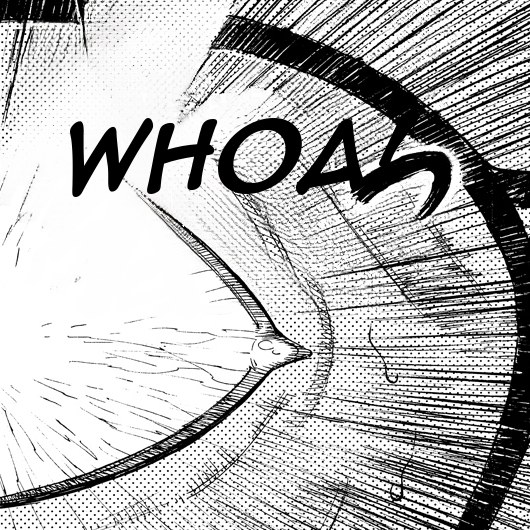
Sound effects are the hardest part. They are large, drawn over action, and often cover a face or a moving object. On a webtoon in colour, a sound effect can sit over a painted gradient, a glow and motion lines at once. This is why sound effect translation costs the most hours in human localization.
Should you remove sound effects or keep them?
It depends on the release. Many official manga keep the Japanese sound effects and add a small English translation beside them, because the original letters are part of the art. Other releases replace them fully. On a phone screen, small subtitles next to a large sound effect can be hard to read, so think about the reading size before you choose.
| Choice | Cleaning work | Typesetting work | Reader sees |
|---|---|---|---|
| Keep and subtitle | None | Small text near the sound effect | Original art, plus a translation |
| Replace | Full erase and redraw | A new sound effect in the target language | A page that reads as native |
| Keep untranslated | None | None | Original art, no meaning for the reader |
Our Japanese and Korean sound effect dictionaries list what each sound effect means, so you can subtitle or redraw it correctly.
Which tools do manga cleaners use?
| Tool | Cost | Good for |
|---|---|---|
| Adobe Photoshop | Subscription | Clone stamp, healing brush, pen paths, content-aware fill. The tool most fan guides assume. |
| Clip Studio Paint | One-time or subscription | Fill and auto-select tools, screentone tools |
| GIMP | Free | Clone and heal tools, paths. The Bakkin guide says a past member used it to great success. |
| PanelCleaner | Free (GPL-3.0) | Automatic cleaning of easy bubbles. Not text on art. |
| Bublate | $3 for a webtoon chapter up to 20 segments, up to $0.60 a manga page, 30 free credits | Erases text from bubbles and from the art, redraws sound effects in the target language. You check each page in the editor. |
Bublate's cleaning does the first pass on a full chapter: flat fill where the bubble is plain, inpainting where text sits on art, and a redraw of each sound effect with the size, angle, colour and outline of the original. A cleaner then fixes what needs a human eye. See pricing.
How do you clean a manga page, step by step?
- Prepare the raw. Straighten scans, set levels so white is white and black is black. Skip this for clean digital raws.
- Mark all text. Bubbles, side text, signs and sound effects. Note which sound effects the team will replace.
- Flat fill the plain bubbles.
- Clone fill text on uniform tone.
- Redraw text on lines and gradients, lines first, then fills.
- Erase and redraw the sound effects you will replace.
- Check at 100% and at reading size. Look for grey patches, broken outlines and misaligned dots.
- Save the cleaned page with layers and send it to the typesetter.
What are common cleaning mistakes?
- Grey patches where tone was painted instead of cloned.
- Broken bubble outlines from a fill that went too far.
- Leftover anti-aliasing: a faint grey ghost of each letter.
- Misaligned dots at the edge of a clone patch.
- A clone pattern that repeats so the eye catches it.
- Lines that stop where the sound effect was, instead of continuing.
Frequently asked questions
What is a manga cleaner?
A manga cleaner removes the original text from the pages and fixes scan defects, such as blemishes and poor contrast, so the translated text can be typeset. In most teams the cleaner also redraws the art that was under the text.
What is a manga redraw?
A redraw rebuilds the art that sat under text or sound effects after the text is erased. It uses pen paths for the structural lines and the clone tool for screentone and fills. A good redraw is one the reader cannot spot.
Can software clean manga automatically?
Yes, for most bubbles. Tools such as PanelCleaner clean easy bubbles and skip the hard ones. Text on the art and sound effects need inpainting or a redraw. Bublate does both as a first pass, and a person checks the result.
What is the hardest part of cleaning?
Sound effects and text over gradient screentone. Both need a redraw that matches the line weight and the dot pattern exactly, and a sound effect often covers a face or a moving object, which leaves the most art to rebuild.
Do I need Photoshop to clean manga?
No. GIMP is free and has clone, heal and path tools, and the Bakkin guide reports good results with it. Clip Studio Paint also works. Most older fan guides assume Photoshop, so their menu names may differ from your tool.
Sources
- Wikipedia, Scanlation · checked
- Bakkin, Redrawing Guide · checked
- VoxelCubes, PanelCleaner on GitHub (GPL-3.0) · checked
- MangaHelpers forum, Redrawing for HQ Scans (Part 1) · checked
- MangaHelpers forum, Tips on Cloning/Redrawing · checked